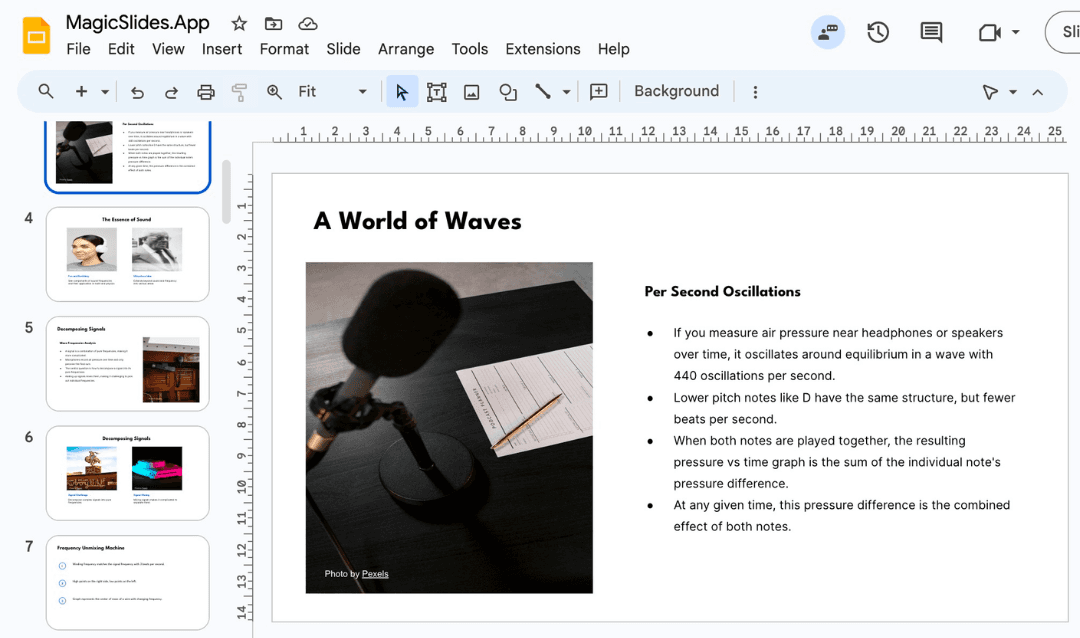
Create professional content slides effortlessly with MagicSlides AI, saving time and ensuring high-quality presentations
Creating a well-organized and informative content slide is essential for any PowerPoint presentation. It’s the part where you can present the core information clearly and concisely.
However, structuring this content in a professional manner can sometimes be time-consuming. MagicSlides is here to make that process a lot easier.
With just a few simple inputs, MagicSlides’ AI tool can instantly generate a content slide for you. Here's how you can create a content slide in PowerPoint using MagicSlides:
How to Make a Content Slide in PPT Using MagicSlides
Visit MagicSlides:
Start by navigating to the MagicSlides website. It's an AI-powered tool that allows you to create presentations quickly and efficiently.
Input Your Content:
In the input field, enter the topic for your content slide. For example, if you need to present details about a specific concept, such as “The Benefits of Digital Marketing,” simply type that into the input bar.
You can also include specific points you'd like to highlight or mention.
Generate the Presentation:
After inputting your content information, click on the “Generate Presentation” button.
MagicSlides will use its AI to create a structured PowerPoint presentation, automatically placing your content into the relevant slide formats.
Review and Edit:
Once the AI generates the presentation, review the content slide to ensure everything is accurate and clear.
You can make edits, add visuals, or even reorganize content if needed to align with your vision.
Download the PPT:
After finalizing your content slide, you can download the PPT file. MagicSlides makes sure that your content slide is designed well, with all necessary points covered clearly.
Conclusion:
With MagicSlides, making a content slide in a PowerPoint presentation has never been easier.
Instead of manually entering data, formatting text, and designing slides, you only need to provide the input, and the AI tool does the rest. In just a few minutes, you’ll have a professional and visually appealing content slide ready for your presentation.
If you want to save time and create high-quality slides effortlessly, click here to try MagicSlides today and streamline your presentation creation process.
Create PPT using AI
Just Enter Topic, Youtube URL, PDF, or Text to get a beautiful PPT in seconds. Use the bulb for AI suggestions.
character count: 0/ 6000 (we can fetch data from google)
Topic to PPT using AIGenerate engaging presentations quickly from just a keyword. Ideal for students and educators needing fast, content-rich slides.Create PPT from Topic
→
Youtube to PPT using AITurn YouTube videos into informative slide presentations. Excellent for marketers and creators looking to expand their video content's reach.Create PPT from YouTube
→
AI PitchDeck GeneratorTurn Pitch Deck into informative slide presentations. Excellent for business and startup looking to present his business.Create PPT from Pitch Deck
→
Text to PPT using AIGenerate engaging presentations quickly from just a keyword. Ideal for students and educators needing fast, content-rich slides.Create PPT from Text
→
Url to PPT using AIEffortlessly convert any web page into a comprehensive presentation. Perfect for professionals and researchers presenting web-based data.Create PPT from URL
→
PDF to PPT using AIConvert PDF files to PowerPoint slides easily. Essential for analysts and consultants dealing with detailed reports.Create PPT from PDF
→
Docx to PPT using AITransform Word documents into dynamic presentations. Suitable for administrators and writers enhancing their documents visually.Create PPT from Docx
→
Tome Url to PPT using AIStuck with a Tome presentation? Convert it to PowerPoint format for use with Google Slides or PowerPoint effortlessly.Create PPT from Tome.app Url
→
Gamma Url to PPT using AIStuck with a Gamma presentation? Convert it to PowerPoint format for use with Google Slides or PowerPoint effortlessly.Create PPT from Gamma Url
→
Image to PPT using AIConvert Image to PPT with a single click. Click "upload Image" select your image and we will create presentation with the same.Create PPT from Image
→
MagicChartCreate charts from text online instantly. Streamline data visualization for presentations and reports.Create Chart from Text
→
PPT to JPGConvert PowerPoint slides to high-quality JPG images online. Useful for archiving or sharing presentations visually.Create JPG from PPT
→
PPT to PDFTurn your PowerPoint presentations into PDFs seamlessly. Ideal for securing and distributing presentations professionally.Create PDF from PPT
→
PPT to MP4Convert PowerPoint slides into MP4 videos. Great for creating shareable video content from presentations.Create MP4 from PPT
→
PPT to TextSingle click convert Your PPT to TXT File in Seconds - Free, Secure, and User-Friendly!Convert PPT to Text
→
PPT to Better PPThave a rought ppt just text and want to make it better? we will take the test and generate one using magicslides.appDesign My PPT
→
PDF to JPGConvert PDF to high-quality JPG images online. Useful for archiving or sharing presentations visually.Create JPG from PDF