AI is changing how we create presentations, saving time, improving designs, and simplifying content creation. One of the tools making headlines is Gamma.app, an AI-powered presentation builder designed to create sleek decks in minutes.
But is it as good as it sounds? And how does it stack up against other AI Presentation Maker tools, which takes a more flexible and familiar approach?
Let’s walk through everything you need to know, from how Gamma works to whether it’s the right fit for you.
What is Gamma.app?

Gamma app is an AI tool that helps you create presentations, documents, and even mini-sites from a single prompt. Unlike traditional slide tools like PowerPoint or Google Slides, Gamma app builds scrollable, web-style decks that feel more like interactive documents.
You can give it a topic, for example, “Sales QBR for tech startup”, and Gamma will generate an outline and populate a full deck with headings, bullet points, images, and suggested layouts.


What sets Gamma apart from other AI Presentation Makers visually is its scroll-based, card-style format; it looks more like a sleek webpage than a traditional PowerPoint. You also get access to a wide selection of themes, and the ability to embed media like YouTube videos, Spotify tracks, TikTok video, Vimeo videos, and more, which is great if you’re creating something interactive or shareable online.

The platform includes templates for common use cases like pitch decks, webinars, and company reports. These templates help speed things up, though the content it generates still tends to be general, more of a first draft than a final version.

Each deck defaults to 8 slides, which you can add to or remove. But one thing to note: Gamma often reuses the same slide layouts and just tweaks the color scheme. This can make your presentations look similar over time, especially if you're working on multiple decks each week.
As for editing, Gamma’s interface takes some getting used to. It’s not quite like PowerPoint or Google Slides, more like Notion with AI features. There are slash commands, floating toolbars, AI-powered edits, and various mini-menus. It’s flexible, but can feel overwhelming at first.
For users who prefer a more familiar format or want more control over how a presentation is built, especially when starting from existing content like a document, PDF, or even a video: tools like MagicSlides offer a different approach. Rather than rethinking the slide format, they focus on helping you generate professional, ready-to-edit presentations from the content you already have.
On the plus side, the drag-and-drop system works smoothly, and Gamma integrates with sites like Unsplash and GIPHY for visuals, which is a nice touch when you're looking to spice up your slides.

When it comes to sharing, you can send a Gamma link, or export your deck as a PDF or PowerPoint file. However, there are limitations, Gamma doesn’t support direct export to Google Slides, and formatting often breaks when importing into it from PowerPoint.


Overall, Gamma is a solid option if you’re looking to try something new and don’t mind a different workflow. It's fast, good-looking, and has lots of helpful integrations. But if you live in Google Slides or PowerPoint, the learning curve and compatibility quirks might slow you down.
It’s built with modern design in mind, making it a favorite among creators and startups looking to avoid bulky PowerPoint templates.
Pros and Cons of Gamma.app
There’s no doubt Gamma excels at delivering visually impressive presentations quickly. It’s designed for users who want a fast and easy way to turn ideas into something polished.
Here’s a quick overview of what works, and what doesn’t:
Feature | What Works Well | What Could Be Better |
Design Quality | Clean, modern templates with scrollable format | Templates start to look repetitive over time |
Speed | Generates full decks in under 2 minutes | Some slides feel too generic or shallow |
Ease of Sharing | Share as a web link or download as PDF/PowerPoint | Google Slides export often breaks formatting |
Interface | Drag-and-drop blocks and easy embeds (YouTube, Giphy) | Editor is complex for new users, like a Notion hybrid |
AI Content Generation | Creates decent outlines and summaries | Requires human editing for tone and depth |
Gamma AI App Pricing
Gamma offers three pricing levels, starting with a free plan based on credits. Here's how it breaks down:

- Free Plan: Includes 400 credits. One full AI-generated presentation costs about 40 credits.
- Plus Plan ($8/month): Unlimited AI usage and removes the “Made with Gamma” branding.
- Pro Plan ($15/month annually): Adds analytics, custom domains, more slides, and advanced editing options.
You can also earn bonus credits by referring friends, handy if you’re testing it out with a small team.
💡 Note: Only paying users can co-edit decks. That adds up quickly if you're managing a larger team.
Gamma.app Reviews
Gamma.app has received a mix of praise and criticism from users, a reminder that, like most AI tools, it works well for some workflows but not for everyone.
On Trustpilot, Gamma currently has an average score of 3 out of 5, based on 24 reviews. Some users are genuinely impressed by the design and time-saving potential, while others have faced frustrations with customer support or platform stability.
Here’s a snapshot of what users are saying:


Not all feedback has been positive, though. Some users reported issues with reliability and unmet expectations, especially around feature promises and support responsiveness.


Overall, Gamma earns points for design and fast AI generation, but users expecting enterprise-level stability or customization may run into limits. For those working under deadlines or needing more predictable results, it’s worth considering whether Gamma’s workflow fits your needs or exploring alternatives with more consistent output and support coverage.
Pros:
- Visually appealing out of the box
- Great for mobile and web viewing
- Quick AI content generation
Cons:
- Limited customizability in themes
- Not ideal for Google Slides users
- No animations or advanced transitions
- Offline editing not supported
How to Create AI Presentations on Gamma.app
Getting started with Gamma is simple. Here’s a quick walkthrough:
- Sign Up using email or Google account.

- Click "Create New" in your dashboard.

- You get 3 options here; you can either paste your topic this can be a short sentence or phrase, paste in text when you have content with you, and another option to import a file or URL which works with google drive, blog posts, etc.


- Use the prompt editor to refine tone, language, slide count, and other settings.

- Choose a theme from the visual library.

- Edit and export your presentation. You can share it via link or download as a PDF/PowerPoint file.

Gamma.app AI Presentation Maker Alternatives
While Gamma is a strong contender, it’s not the perfect fit for everyone, especially if you rely on traditional tools or want more customization.
Here are a few AI-powered alternatives worth checking out:
1. MagicSlides – Best for Google Slides users

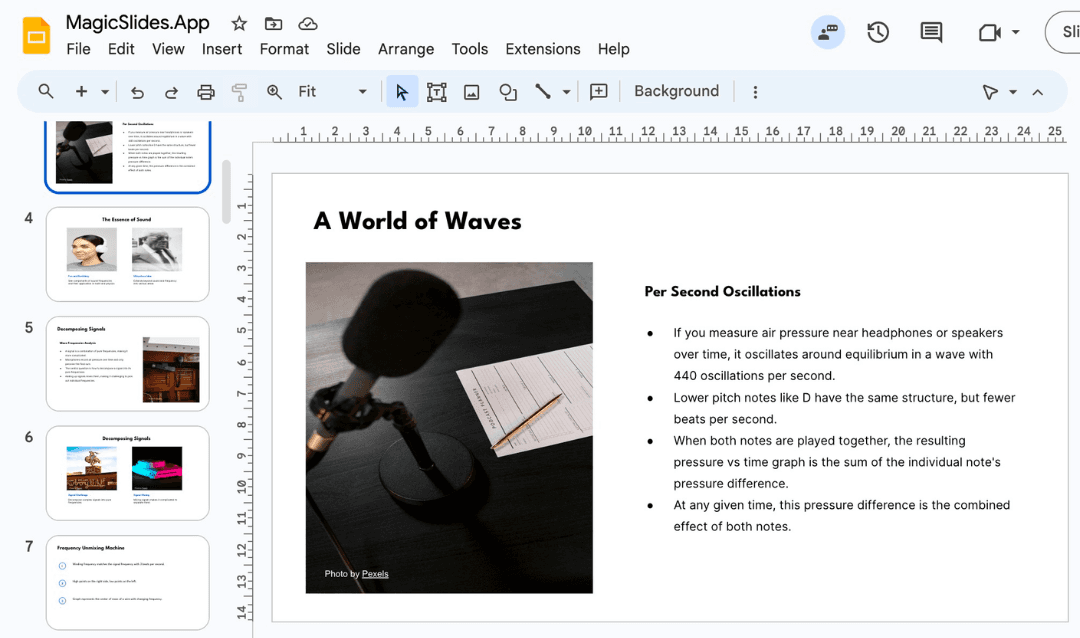
MagicSlides stands out because it works directly inside Google Slides. There’s no new app to learn, no weird exports, and it plays nicely with your existing workflow.
- Upload documents or paste long text prompts
- AI generates clear, well-structured decks instantly
- Collaborate in real time, just like any other Slides project
If you’re used to Google Workspace, MagicSlides feels like a natural upgrade, not a whole new system to learn.
2. Beautiful.ai – Automated design for polished results

Beautiful.ai puts design at the center of the presentation-building process. Every slide is created with built-in design logic, so layouts auto-adjust as you add or change content, no manual formatting needed.
It’s ideal for teams who want visually consistent presentations with minimal design effort. The tool also includes collaboration features and shared slide libraries, which are helpful for larger organizations working on decks together.
However, content generation is more limited compared to tools like Gamma or MagicSlides. If your priority is structure, tone, or transforming existing material, you may find yourself doing more of the content work manually.
3. Presentations.AI – AI-powered pitch decks with customization options

Presentations.AI focuses on helping users build pitch decks and business presentations with the help of AI. It offers pre-built layouts and brand customization tools, making it a solid option for startups and professionals creating investor-facing content.
Unlike Gamma, which leans toward storytelling-style decks, Presentations.AI sticks closer to a traditional slide structure, with more focus on branding and layout control. The interface is clean and easy to use, and it offers a mix of automation and manual editing.
That said, Presentations.AI’s AI writing isn’t as robust as some of its peers. If your deck relies heavily on well-structured content, not just visuals; you might still need to draft or refine your messaging separately.
Gamma.app FAQs
Who owns Gamma.app?
Gamma is developed by Gamma Tech, Inc., founded in 2020 by Grant Lee, James Fox, and Jon Noronha.
Can Gamma export to PowerPoint or Google Slides?
Gamma lets you export to PowerPoint, but formatting often breaks. It doesn’t support Google Slides directly, you’ll need to import the PowerPoint file.
Is Gamma free?
There’s a free plan, but it’s credit-based. Once your 400 credits run out, you’ll need a subscription to continue.
Is Gamma secure?
Yes, Gamma uses HTTPS encryption, access control, and regular audits to keep your data safe.
Finding the Best AI Presentation Maker for You
At the end of the day, choosing the right tool comes down to your workflow.
If you’re creating scrollable decks for web or mobile and want something fast and good-looking, Gamma is a solid option.
But if you need something more familiar, flexible, and collaborative, then MagicSlides is worth serious consideration. It blends powerful AI with the convenience of Google Slides, making it a smoother fit for teams, teachers, marketers, and just about anyone who wants more control.
Create PPT using AI
Just Enter Topic, Youtube URL, PDF, or Text to get a beautiful PPT in seconds. Use the bulb for AI suggestions.
character count: 0/ 6000 (we can fetch data from google)
upload pdf, docx, .png
less than 2 min