Let’s face it, static slides aren’t always enough.
Whether you’re pitching to investors, training a team, or teaching online, visual elements like GIFs and videos make your message stick. They lighten the mood, explain complex ideas, and help people remember your points.
If you’re using Gamma AI PPT, the good news is that adding rich media is incredibly easy. You don’t need tech skills or third-party plugins. And if you’re someone who’d prefer to generate a polished deck with built-in visuals in just seconds? There’s a smart alternative I’ll walk you through too, MagicSlides.
Let’s start with Gamma AI PPT.
How to Add GIFs in Gamma AI PPT (Step-by-Step)
Step 1: Choose Where the GIF Goes
Pick the card (Gamma AI PPT’s version of a slide) where you want the GIF.
You can use an existing content block or insert a new one with the “+” button.
Step 2: Click the Image Icon from the Right Sidebar
On the right-hand side, you’ll see a vertical toolbar. Click the image icon to open the Images panel.

This panel gives you a ton of options like:

- Upload image or URL
- Web image search
- GIFs from GIPHY
- AI images
- Icons, illustrations, and more
Click on “GIFs from GIPHY.”
Step 3: Browse and Insert Your GIF

You’ll now see a searchable panel of trending GIFs (yep, including SpongeBob and reaction memes). Type in a keyword, or pick from the preview.
Click your preferred GIF, and it will be instantly embedded in your slide as a visual block.
Step 4: Resize and Position
Once added, you can:
- Drag to resize
- Move it up/down within the card
- Pair it with text or captions
This gives your slide movement, personality, and context without needing to leave the Gamma AI PPT workspace.
Now Gamma might not be able to give you .pptx for that you can use MagicSlides Gamma to PPT convertor

Want a Faster Way? Try MagicSlides as an Alternative
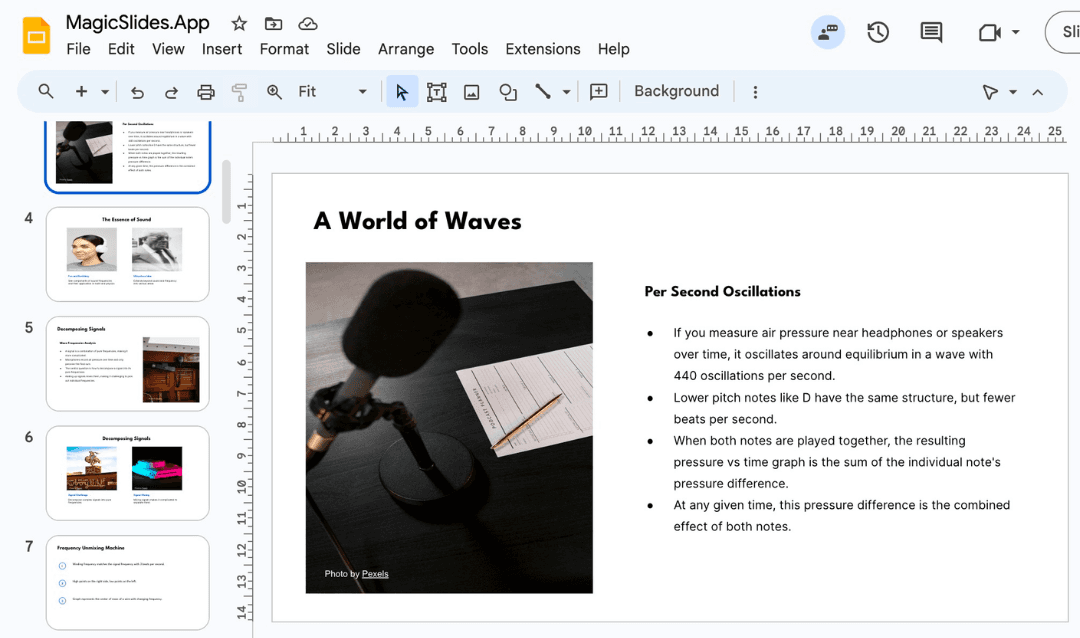
If you’re tight on time, or just prefer automation, MagicSlides is an incredible tool I’ve been relying on more and more lately.
Here’s how it works:
- Go to MagicSlides.app

No download needed. It works in your browser.
- Paste your topic or full text

Have a Google Doc or rough idea? Just paste it in. You can also use a YouTube link, PDF, or even raw bullet points.
- Click “Generate”

In seconds, you’ll have a full presentation with intelligently structured slides, suggested visuals, and text content.
- Customize with GIFs, shapes, and elements
MagicSlides gives you quick access to top GIF libraries and built-in icons, images, and smart formatting tools. You can drop them in with a click.
It’s a dream for pitch decks, teaching, client updates, or internal reviews when you just don’t want to start from scratch.
Gamma AI PPT vs. MagicSlides: Which One Should You Use?
Feature | Gamma AI PPT | MagicSlides |
Embeds GIFs/Videos | Yes, manually | Yes, via smart suggestions |
Visual Control | High | High, with automated layouts |
Workflow | Build & design in-editor | Generate full deck in seconds |
Best Use Case | Polished web presentations | Fast pitch creation, drafts |
I often start with MagicSlides to rough out my ideas, then move into Gamma AI PPT for polishing and delivery. It’s a great one-two punch.
Final Thoughts
Visuals are no longer optional, they’re expected. Whether it’s a short GIF to lighten the moment or a product video to wow your audience, adding media the right way makes all the difference.
Gamma AI PPT makes it easy to embed media cleanly into your workflow. But if you want to skip ahead, MagicSlides is an excellent alternative that handles structure, styling, and content all in one go. I’ve used it for client decks, internal briefs, even pitch competitions, and it delivers every time.
So take your pick:
- Add GIFs and videos manually in Gamma AI PPT for full control
- Or use MagicSlides to generate a complete, media-rich deck in seconds
Either way, you’re not stuck staring at blank slides anymore.
Create PPT using AI
Just Enter Topic, Youtube URL, PDF, or Text to get a beautiful PPT in seconds. Use the bulb for AI suggestions.
character count: 0/ 6000 (we can fetch data from google)
upload pdf, docx, .png
less than 2 min