As artificial intelligence tools continue to evolve, professionals are no longer just looking for raw capabilities, they’re searching for the right fit. Whether it’s research, writing, coding, or content creation, the goal is simple: get more done, without friction.
DeepSeek has made waves recently for its strong language abilities and developer-friendly approach. But it’s not the only option. In fact, depending on your specific workflow, especially if you rely on visuals or presentations, there are other tools that might be a better match.
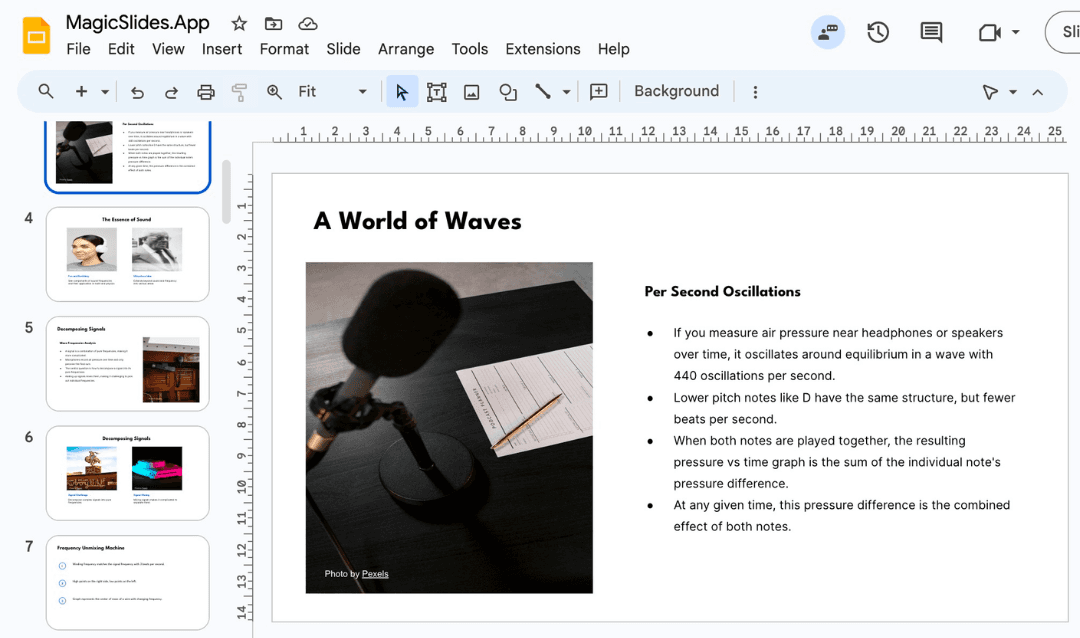
Let’s walk through five strong DeepSeek alternatives, each with its own edge. Along the way, we’ll highlight how to pair these tools with complementary platforms like MagicSlides, especially if slide decks are part of your routine.
1. ChatGPT
Best for: Writing, summarizing, idea generation

With years of refinement behind it, ChatGPT (especially GPT-4) continues to be one of the most flexible AI tools available. From quick brainstorming to technical research, it handles almost everything with ease.
What makes it a DeepSeek alternative:
- More natural, conversational output
- Excellent at rewriting, refining, and expanding ideas
- Strong summarization and document understanding
Where ChatGPT still needs a helping hand is turning those outputs into polished presentations. If you’ve ever copied text into a slide deck manually, you know how tedious that can be. That’s where tools like MagicSlides come in, just paste your ChatGPT content and watch it turn into slides automatically.
2. Claude
Best for: Research-heavy or thoughtful writing

Claude, developed by Anthropic, is designed with safety, clarity, and long-form reasoning in mind. It’s a favorite for educators, policy writers, and professionals dealing with complex topics.
Why it's a solid DeepSeek alternative:
- Clear explanations and transparent logic
- Handles lengthy documents exceptionally well
- Respectful, non-intrusive tone, ideal for sensitive writing
Like DeepSeek, Claude doesn’t natively support visuals or presentation creation. But paired with something like MagicSlides, it becomes easy to go from research to boardroom-ready content in minutes.
3. Gemini
Best for: Teams already using Google Workspace

Gemini (by Google) is powerful and efficient, especially when embedded within Docs, Sheets, and Gmail. It’s intuitive for writing assistance and integrates directly with your existing files.
How it compares to DeepSeek:
- Real-time content generation inside Google tools
- Good at structuring emails, reports, and outlines
- Clean UI and low learning curve
That said, Gemini’s slide-making abilities are still basic. If you're creating decks regularly, say for weekly reports or product pitches, MagicSlides bridges that gap beautifully by converting outlines or notes directly into well-formatted Google Slides.
4. Qwen
Best for: Developers, tinkerers, multilingual users

Qwen, by Alibaba, is an open-source large language model that’s gaining traction fast. It’s technically strong, multilingual, and works well for teams that need API access and customization.
Why it’s worth considering:
- Great coding support and developer tools
- Open-source flexibility
- Fast-growing ecosystem
Qwen is ideal for building your own AI workflows. But if you’re not looking to code a custom slide generator from scratch, pairing it with a plug-and-play solution like MagicSlides saves hours.
5. Perplexity AI
Best for: Fast, source-backed research and summaries

Perplexity AI is a rising star in the AI space, especially for those who want fast, trustworthy answers with real sources. It blends search and AI into one clean interface, perfect for anyone doing academic work, reporting, or strategic analysis.
Why it’s a smart DeepSeek alternative:
- Answers come with citations (so you can trust the source)
- Great for digging into niche topics
- Very fast, with a Google-like interface
While Perplexity excels at finding and organizing information, it doesn’t format it into slides or presentations. That’s where tools like MagicSlides naturally step in, taking your research findings and turning them into clean, data-backed decks in seconds.
Final Thoughts
Here’s the thing: DeepSeek is powerful, but no tool is perfect for every user. Whether you value writing quality, real-time data, multilingual support, or Google integration, there's a DeepSeek alternative built for your workflow.
What most of these tools don’t offer, though, is a clean way to turn output into visuals, especially presentations.
That’s why many professionals use a simple setup:
Write with ChatGPT, Claude, or Gemini. Then design with MagicSlides.
It’s a low-effort, high-output combo that saves time without compromising quality.
TL;DR – Best DeepSeek Alternatives at a Glance
Tool | Best For | Needs Help With |
ChatGPT | General writing & research | Visual design, slides |
Claude | Long-form clarity, thoughtful tone | Presentation formatting |
Gemini | Google-based workflows | Polished decks |
Qwen | Coding, open-source flexibility | User-friendly visuals |
Perplexity AI | SEO content, marketing visuals | Slide-level polish |
Looking to simplify the jump from “text” to “slides”? That’s where MagicSlides quietly becomes the real MVP.
Create PPT using AI
Just Enter Topic, Youtube URL, PDF, or Text to get a beautiful PPT in seconds. Use the bulb for AI suggestions.
character count: 0/ 6000 (we can fetch data from google)
upload pdf, docx, .png
less than 2 min