Turn Notes into Presentation AI: Complete Conversion Guide
Turning notes into a presentation is not a complex or time-consuming task if you know the right solution with the appropriate set of instructions. In this complete walkthrough, I’ll provide you with the details of the AI tool I personally use to turn notes into presentation AI.
But first, tell me whether you know the reasons behind this task or not. If your answer is no, then let me explain that.
Why I Use AI for Notes to Presentation AI Conversion
Below are the reasons of mine, that why I prefer an AI presentation instead of notes:
- Saves hours of manual formatting, as for slide creation, it doesn’t need to start from scratch; AI handles everything itself, according to the prompt.
- Get clearer and more engaging visuals.
- Helps to avoid missing important points.
- Maintain consistency across all my presentations.
- Allows for focus on content quality.
- Get multiple slide versions instantly.
- Update presentations faster and automatically.
- Helps to maintain custom tone and style.
Probably, because of one of these reasons, you are also wondering how to convert notes to presentation AI. But don’t worry, in the next section, I’ll share the step-by-step instructions for the same with the best working solution. So, let’s move!
Related guide: How accurate is ChatGPT
How to Turn Notes into Presentation AI?
Choosing an AI solution and giving the prompt is not enough. That’s why, here I’ll provide you the most appropriate set of instructions, i.e.
#Step 1. Collect Notes
Before using any AI tool, always organise your notes:
- Every related point
- Create headings for different sections
- Keep sentences short and clear
Example format:
Title: AI in Education
Section 1: Introduction
- What AI is
- Why AI matters
Section 2: Benefits
- Saves time
#Step 2. Choose a Reliable AI Presentation Tool
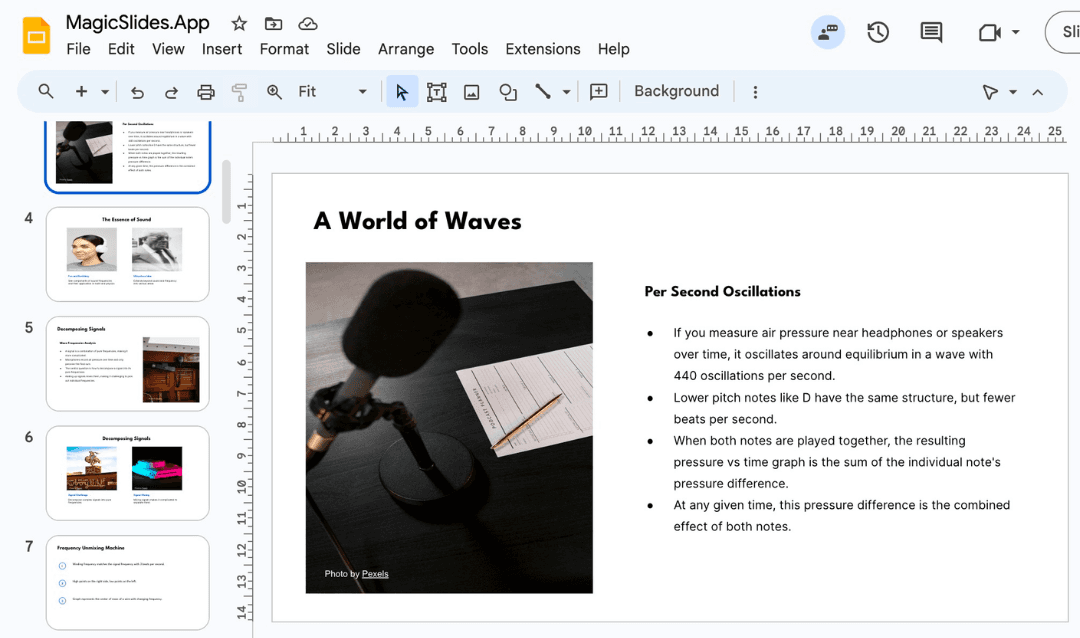
This is the crucial step, as without a reliable solution, you can’t turn notes into presentation AI effectively or hassle-free. There are many AI tools available, and I personally tested over 35+ solutions, and among them, I found MagicSlides AI Presentation Creator is the best.
Not every AI tool can understand messy notes or format slides in a professional way. That’s why I’m opting for this solution as it:
- Converts raw notes into fully designed slides automatically.
- The content accuracy was consistently higher compared to most tools.
- Offers multiple design templates.
- Provides an option to control the slide length and detail level.
- Supports Google Slides and PowerPoint.
- Comes with a self-explanatory UI, so that any user can easily use this without needing technical knowledge or designing skills.
You can try this for free. After signing in, move to the next step.
#Step 3. Upload the Notes into AI
Now, directly upload your notes into the AI box, and let the solution analyse them and create a polished presentation within seconds.
#Step 4. Review the Presentation
When AI generates your presentation, review and modify it (if needed):
- Adjust slide titles to match your needs
- Add relevant images or icons
- Rearrange content for better flow
These points are only examples; you can refine them according to your requirements.
#Step 5. Download or Present
Finally, export the presentation in:
- PPTX for PowerPoint
- Google Slides format
- PDF for sharing
Also read: Convert Google Slides to PowerPoint
Author’s Verdict
Now, using this reliable AI tool, you can turn notes into presentation AI within seconds. Just upload your notes, select the slide style, choose the number of slides, and let the tool handle the rest.
Quick FAQs
Q1. Will my presentation look unique?
Yes, as long as you customise the content and template after generation.
Q2. Can I export to PowerPoint or Google Slides?
Yes, this MagicSlides AI tool supports exporting to PPTX or compatible formats.
Q3. Is it safe to upload my confidential notes?
Yes, this tool comes with robust security measures and 24/7 Support if needed.
Create PPT using AI
Just Enter Topic, Youtube URL, PDF, or Text to get a beautiful PPT in seconds. Use the bulb for AI suggestions.
character count: 0/ 6000 (we can fetch data from google)
upload pdf, docx, .png
less than 2 min