How to Cite a PowerPoint APA 7

Learn how to properly cite a PowerPoint in APA 7 format for academic and professional writing

How to Cite a PowerPoint in APA 7

Citing a PowerPoint presentation in APA 7 format is essential for academic and professional writing.
Whether referencing a lecture slide, an online presentation, or a personal presentation, following APA guidelines ensures proper attribution.
This guide will walk you through step-by-step instructions on how to cite a PowerPoint in APA 7 style.

Steps to Cite a PowerPoint in APA 7

Step 1: Identify the Citation Type

  • If the PowerPoint is online (e.g., Google Slides, LinkedIn, or a website), treat it as a publicly available document.
  • If the PowerPoint is unpublished (e.g., classroom lecture slides), cite it as personal communication.

Step 2: Format for a Publicly Available PowerPoint

Use the following APA 7 citation format for a PowerPoint that is available online:
Author Last Name, First Initial. (Year). Title of presentation [PowerPoint slides]. Source/Website. URL
Example:
Smith, J. (2023). Marketing strategies for startups [PowerPoint slides]. Harvard Business School. https://www.hbs.edu/marketing

Step 3: Format for an Unpublished PowerPoint (Classroom Lecture)

For PowerPoint slides that are not publicly accessible, cite them as personal communication:
Instructor's Name (personal communication, Date)
Example:
(Smith, personal communication, March 15, 2024)
Note: Personal communications do not appear in the reference list. They are cited only in-text.

Step 4: Format for PowerPoint on a Learning Platform (e.g., Moodle, Blackboard)

If the slides are shared on a course platform (not publicly available), follow this format:
Author Last Name, First Initial. (Year). Title of presentation [PowerPoint slides]. Platform Name. URL (if accessible)
Example:
Smith, J. (2023). Digital marketing trends [PowerPoint slides]. Moodle. https://moodle.university.edu

Step 5: Insert the Citation in Your Paper

For in-text citations, use (Author, Year) format. Example: (Smith, 2023) for a public PowerPoint.
Example: (Smith, personal communication, 2024) for an unpublished lecture slide.

Conclusion

Citing a PowerPoint correctly in APA 7 depends on its accessibility. If publicly available, format it like an online document.
If unpublished, cite it as personal communication. Following these steps ensures academic integrity and proper referencing.

FAQs can come handy!

Do I need to include a PowerPoint citation in the reference list?

Only if it’s publicly available. Private lectures should be cited as personal communication (in-text only).

How do I cite PowerPoint slides with multiple authors?

List all authors in the same format: Smith, J., & Doe, A. (Year). Title...

Can I cite PowerPoint slides without an author?

If no author is listed, use the institution name as the author (e.g., Harvard Business School, 2023).

Create PPT using AI

Just Enter Topic, Youtube URL, PDF, or Text to get a beautiful PPT in seconds. Use the bulb for AI suggestions.

character count: 0/ 6000 (we can fetch data from google)

upload pdf, docx, .png

less than 2 min
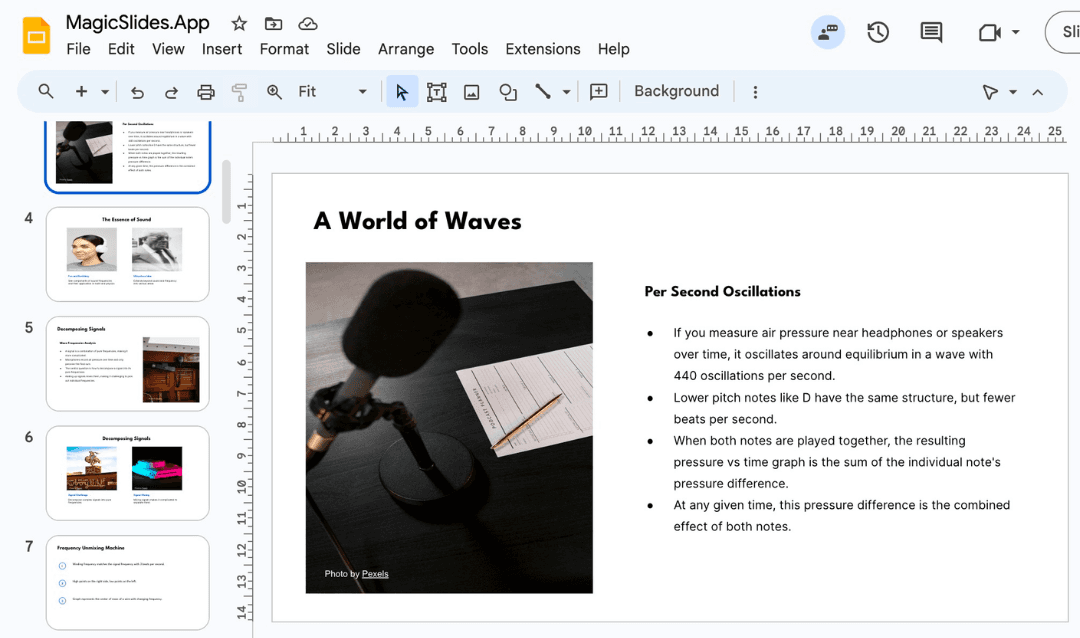
Stunning presentations in seconds with AI

Install MagicSlides app now and start creating beautiful presentations. It's free!

App screenshot

Get AI-Generated Presentations Ready in Seconds

Icon 1
Icon 2
Topic to PPT using AIGenerate engaging presentations quickly from just a keyword. Ideal for students and educators needing fast, content-rich slides. Create PPT from Topic
Icon 1
Icon 2
Youtube to PPT using AITurn YouTube videos into informative slide presentations. Excellent for marketers and creators looking to expand their video content's reach. Create PPT from YouTube
Icon 1
Icon 2
AI PitchDeck GeneratorTurn Pitch Deck into informative slide presentations. Excellent for business and startup looking to present his business. Create PPT from Pitch Deck
Icon 1
Icon 2
Text to PPT using AIGenerate engaging presentations quickly from just a keyword. Ideal for students and educators needing fast, content-rich slides. Create PPT from Text
Icon 1
Icon 2
Url to PPT using AIEffortlessly convert any web page into a comprehensive presentation. Perfect for professionals and researchers presenting web-based data. Create PPT from URL
Icon 1
Icon 2
PDF to PPT using AIConvert PDF files to PowerPoint slides easily. Essential for analysts and consultants dealing with detailed reports. Create PPT from PDF
Icon 1
Icon 2
Docx to PPT using AITransform Word documents into dynamic presentations. Suitable for administrators and writers enhancing their documents visually. Create PPT from Docx
Icon 1
Icon 2
Tome Url to PPT using AIStuck with a Tome presentation? Convert it to PowerPoint format for use with Google Slides or PowerPoint effortlessly. Create PPT from Tome.app Url
Icon 1
Icon 2
Gamma Url to PPT using AIStuck with a Gamma presentation? Convert it to PowerPoint format for use with Google Slides or PowerPoint effortlessly. Create PPT from Gamma Url
Icon 1
Icon 2
Image to PPT using AIConvert Image to PPT with a single click. Click "upload Image" select your image and we will create presentation with the same. Create PPT from Image
Icon 1
Icon 2
MagicChartCreate charts from text online instantly. Streamline data visualization for presentations and reports. Create Chart from Text
Icon 1
Icon 2
PPT to JPGConvert PowerPoint slides to high-quality JPG images online. Useful for archiving or sharing presentations visually. Create JPG from PPT
Icon 1
Icon 2
PPT to PDFTurn your PowerPoint presentations into PDFs seamlessly. Ideal for securing and distributing presentations professionally. Create PDF from PPT
Icon 1
Icon 2
PPT to MP4Convert PowerPoint slides into MP4 videos. Great for creating shareable video content from presentations. Create MP4 from PPT
Icon 1
Icon 2
PPT to TextSingle click convert Your PPT to TXT File in Seconds - Free, Secure, and User-Friendly! Convert PPT to Text
Icon 1
Icon 2
PPT to Better PPThave a rought ppt just text and want to make it better? we will take the test and generate one using magicslides.app Design My PPT
Icon 1
Icon 2
PDF to JPGConvert PDF to high-quality JPG images online. Useful for archiving or sharing presentations visually. Create JPG from PDF