5 Minute Presentation Topics for Clear & Accurate Delivery
Five minutes is enough to share one strong idea if you choose the right topic. Today, I’ll share all the possible 5 minute presentation topics for students, employees, and professionals. So, let’s join me and pick any relevant topic that suits your needs and profession best.
What Makes a Good 5 Minute Presentation Topic?
According to me, a good 5-minute topic must meet three rules:
- Can explain it in one clear message
- Solves a problem
- Does not need long background knowledge
If you need more than three slides to explain the idea, it’s not a 5-minute topic; it is 10 minute presentation topics or more. In simple words, your presentation should be to the point without any unnecessary information, which negatively affects your audience's experience. Moreover, appropriate visuals are also necessary to engage users from start to end.
Next, let me share all the appropriate quick topics for all professions.
5 Minute Presentation Topics for Students
These topics work well in school, college, and university presentations. If you choose one of them, you can impress your teachers and friends with straight-to-the-point information within 5 minutes. So, here are all of them:
- Time management is important
- How social media influences students in the wrong way
- Failure has taught me more than books
- How AI will be a good tutor for students
- How smartphones have changed student life
- Why reading and learning things from books is important in the AI world
- Exams do not always measure real intelligence
These topics work because they are not persuasive presentation topics, and students can connect personal experiences with facts, which makes the presentation stronger.
5 Minute Presentation Topics for Professionals
If you’re presenting in a workplace or seminar, choose topics that show experience and relevance:
- Why a daily planner is important to manage regular tasks efficiently
- Why a communication gap with the team can ruin your corporate career
- How to handle work stress in a positive way
- Why teamwork creates better results
- How to set goals and achieve them
- Why remote work is the future
- Why leadership is about listening
- How to improve your professional skills
- Why does customer experience decide business success
These topics help me show problem-solving ability and maturity, even in a short time.
Technology-Based 5 Minute Topics
These are perfect if you want to sound technical and updated:
- How artificial intelligence is changing everyday life
- Why cybersecurity is important for everyone
- How cloud computing works in simple terms
- Why data privacy matters
- How to use AI technology to minimize workload (for both students and professionals)
- How automation is replacing repetitive jobs
- Can AI think like a human
- How mobile online apps are changing businesses
- Why digital payments are growing fast
- Why learning technology skills is essential
- How to create your own application via AI
Each of these topics can be explained with a single example, which fits perfectly within 5 minutes.
Personal Development 5 Minute Presentation Topics
These topics work very well because people can instantly relate to them.
- How to overcome stage phobia or public speaking
- Why self-discipline is more powerful than motivation
- How good environment better for self-growth
- How good habits shape my success
- Why confidence changes everything
- How to deal with failure
- Why setting goals matters
- How to build a positive mindset
- How to stay motivated
- Why is continuous learning important
When I talk about personal development, I don’t need detailed queries. My experience makes the topic strong.
Business and Marketing 5 Minute Presentation Topics
These are ideal for MBA students or entrepreneurs:
- How branding influences buying decisions
- Why customer trust is more important than price
- How social media helps businesses grow
- Why feedback improves products
- How to analyse customer needs
- How small businesses compete with big brands
- Why a positive user experience converts sales
- How online reviews affect purchases
These topics show practical business understanding in a short format.
Unique and Interesting 5 Minute Topics
If you want to sound interesting and unexpected, then choose these types of queries:
- Why silence is powerful
- How music affects mood
- Why I believe multitasking is a myth
- How colors influence emotions
- Why sleep improves performance
- How first impressions are formed
- Why storytelling makes ideas memorable
- How body language changes communication
- Why curiosity leads to success
These topics attract attention and are easy to remember.
How to Structure a 5 Minute Presentation
Whenever I speak for 5 minutes, I use this format:
- Minute 1 – Introduce the problem or idea
- Minute 2 – Explain why it matters
- Minute 3 – Give one strong example
- Minute 4 – Explain the lesson or solution
- Minute 5 – Give a clear takeaway
This structure keeps my talk focused and impactful. You can also consider this structure.
Now Learn How to Turn 5-Minute Topics into Work→
A 5-minute presentation works best when the topic is clear and focused, because you only have time to explain one main idea with a few strong supporting points. Once you select the right 5-minute presentation topic, the next challenge is turning that idea into a professional slide deck that fits within five minutes.
This is where most people struggle, because manual slide creation takes time and leads to poor structure.
To solve this, I use MagicSlides AI Presentation Maker. But how does it help in this? So, you just have to write your selected topic in this, and with clear instructions, which will generate 5 slides for the same, and the rest will be done automatically.
Not only will it add visuals, audio, and video, as per your prompt. Moreover, if you are using the same layout everywhere, then you can upload that into the solution, and it will create your complete slide deck within the same layout, while maintaining consistency.
So, try this now for free, and generate polished and clean slides in seconds.
Step 1. Go to the official website - https://www.magicslides.app/.

Step 2. Enter the 5 min presenation topic for just the example purpose, i am choosing this topic - “How to set goals and achieve them.”

Step 3. Select the PPT language, choose the required template and apply advanced settings.

Step 4. Once all the required settings are applied, click on Generate Outline button.

Step 5. Go through the outline generated by the tool, and if every slide's content seems fine to you then click on Generate Presentation.

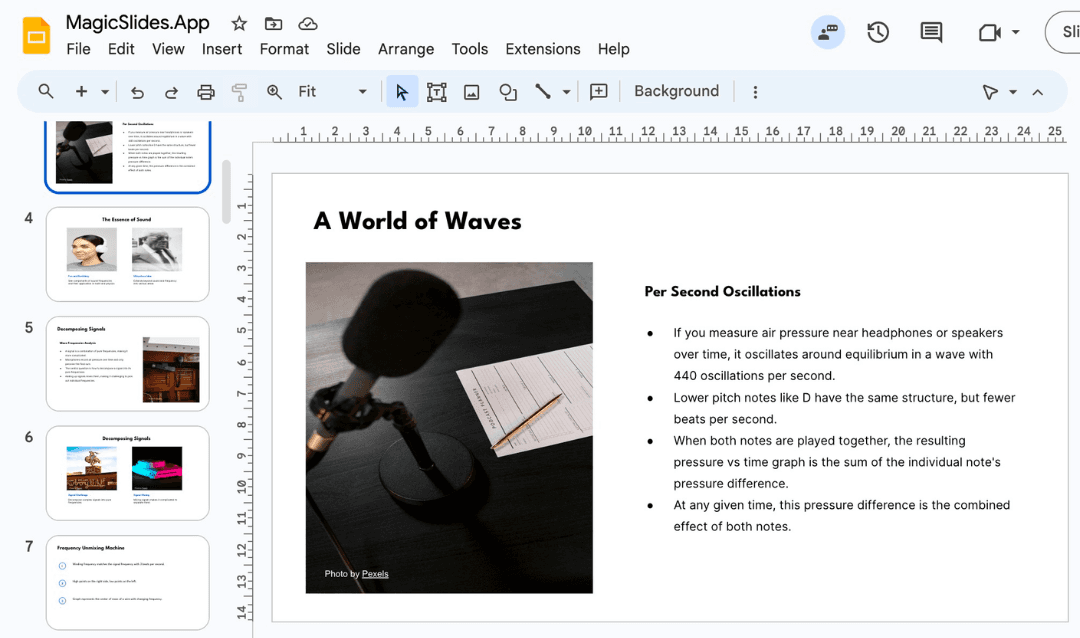
Step 6. Within the few sections, your presentation will be ready, as shown below.

Author’s Verdict→
Choosing the right 5 minute presentation topics is necessary to engage your audience from start to end. In this complete walkthrough, all the possible quick queries, according to the different professions, like students, business owners, and more.
So, choose any of these topics according to your requirement, and then use MagicSlides AI to make them a complete slide deck with visuals and appropriate examples.
People Also Ask→
Q1. What is the best topic for a 5-minute presentation?
The best topic is one that you can explain in one core idea with one strong example. Simple, relatable topics always engage the audience without any extra effort.
Q2. Can I use storytelling in a 5 minute presentation?
Yes. You can use one short story to explain your idea. It makes the presentation more memorable and impactful.
Q3. How many slides should I use in 5 minute presentation topics?
For quick queries, 3 to 5 slides are more than enough. Without talking too much, you can present your slides with cut-to-cut points.
Q4. Are personal topics good for professional settings?
Yes, if you connect them to learning or communication.
Q5. How to make my topic sound confident?
Speak from your own experience and use simple and native language, so your audience will connect automatically.
Create PPT using AI
Just Enter Topic, Youtube URL, PDF, or Text to get a beautiful PPT in seconds. Use the bulb for AI suggestions.
character count: 0/ 6000 (we can fetch data from google)
upload pdf, docx, .png
less than 2 min